返回AI 通道
Claude Desktop · 国内下载与配置

Claude Desktop 国内下载、安装与 Gateway 配置教程

在国内使用 Claude Desktop 官方客户端的 Cowork 和 Code 功能,通常需要先安装桌面端,再进入 Configure Third-Party Inference 配置 Gateway。这里提供 Windows / macOS 下载入口,并用截图说明如何填写 Gateway base URLGateway API keybearer 鉴权。

Claude Desktop 下载

Windows ARM64 用户可下载 Windows ARM64 版本 或复制

Claude Desktop Gateway 配置步骤

  1. 1

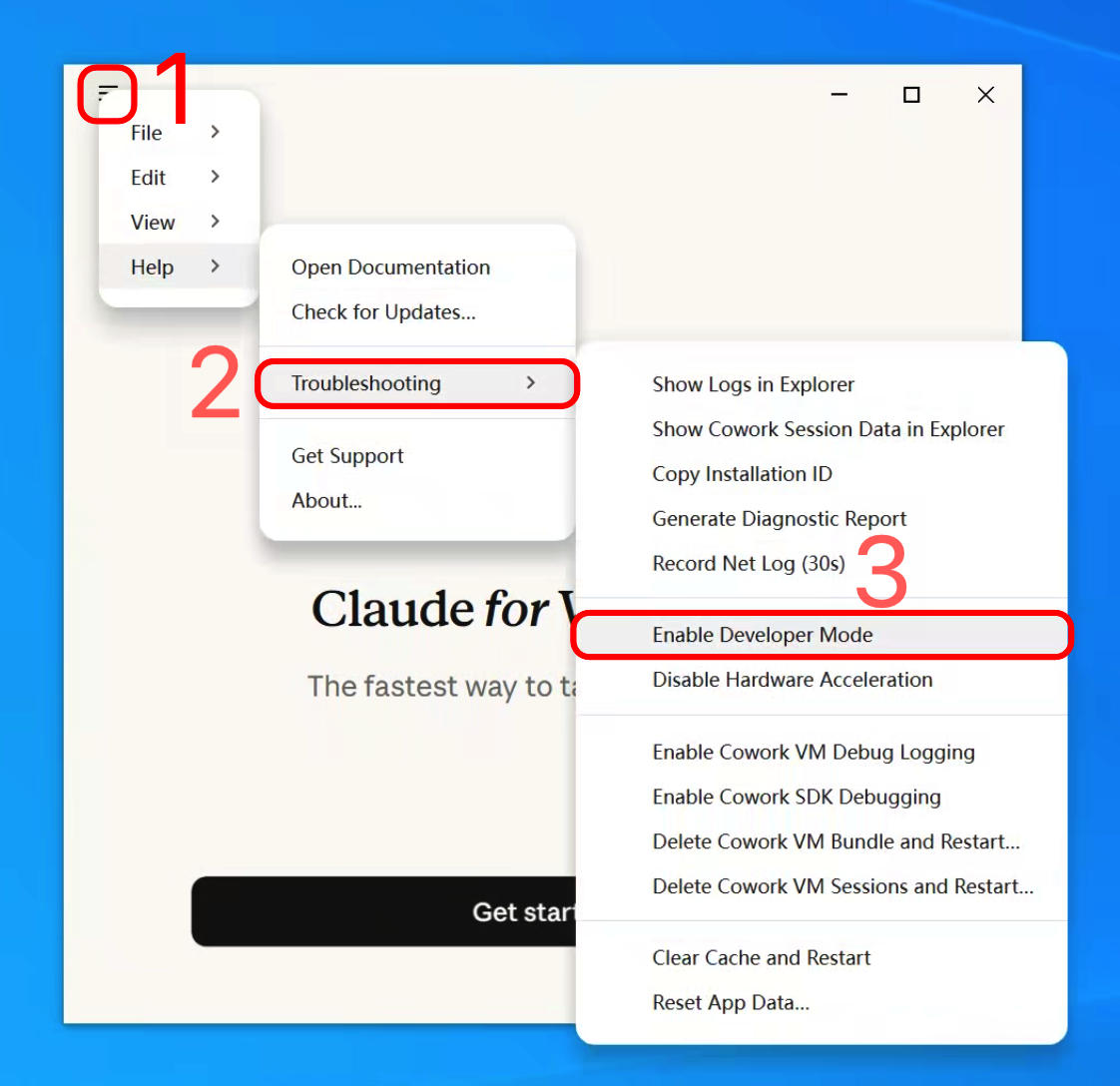
    Help → Troubleshooting → Enable Developer Mode

    1. 点击 Claude Desktop 左上角菜单按钮。
    2. 依次进入 Help → Troubleshooting。
    3. 点击 Enable Developer Mode,打开开发者菜单入口。
    Help → Troubleshooting → Enable Developer Mode
    Help → Troubleshooting → Enable Developer Mode
  2. 2

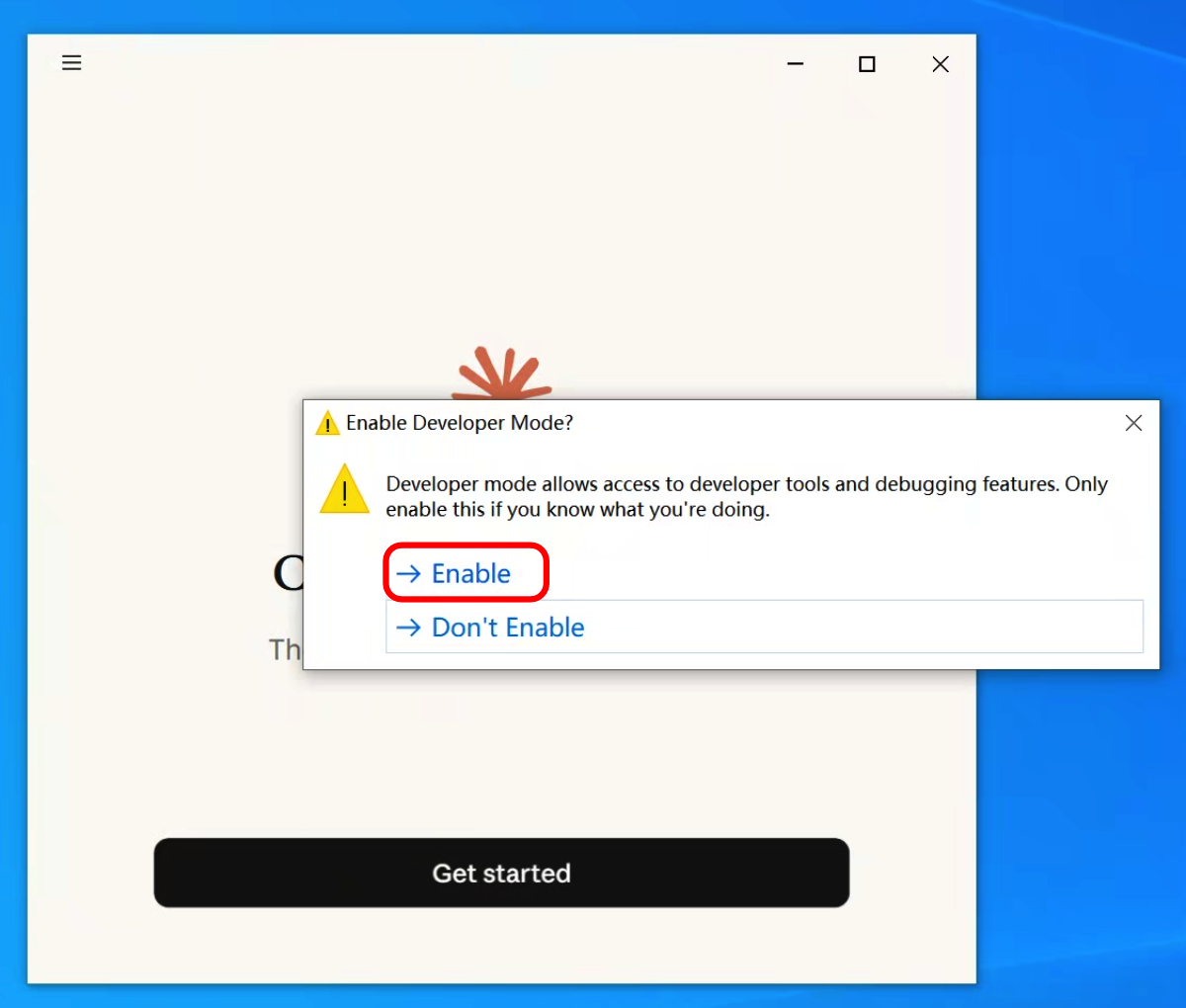
    确认启用 Developer Mode

    1. 在确认框里点击 Enable。
    2. 等待 Claude Desktop 自动关闭并重新打开。
    3. 重启完成后,下一步会从新出现的 Developer 菜单进入配置页。
    确认启用 Developer Mode
    确认启用 Developer Mode
  3. 3

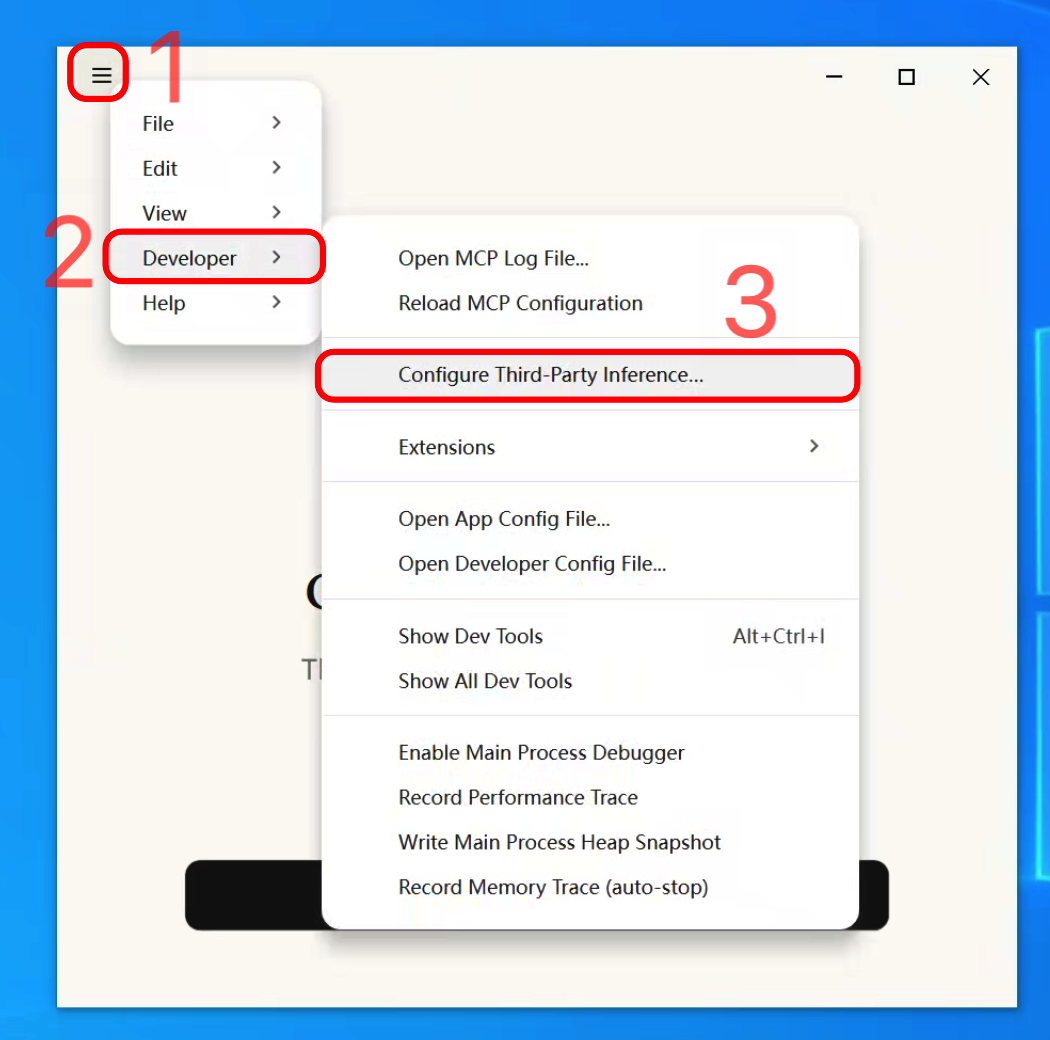
    Developer → Configure Third-Party Inference

    1. 再次点击左上角菜单。
    2. 进入 Developer 子菜单。
    3. 点击 Configure Third-Party Inference,打开第三方推理配置窗口。
    Developer → Configure Third-Party Inference
    Developer → Configure Third-Party Inference
  4. 4

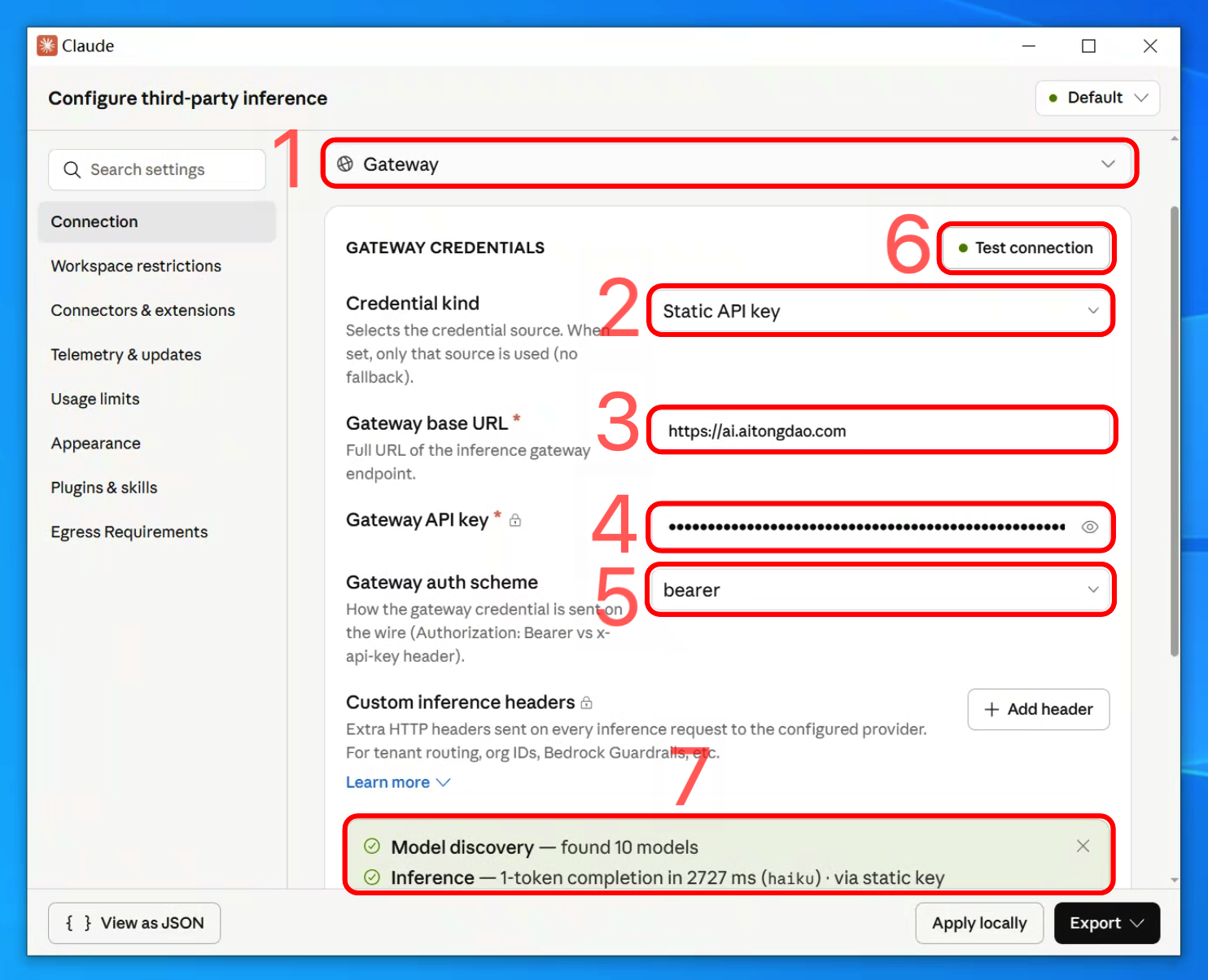
    填写 Gateway 字段并测试

    1. Provider 下拉选择 Gateway。
    2. Credential kind 选择 Static API key。
    3. Gateway base URL 填下面的 API Host。
    4. Gateway API key 填下面的 claude 分组 API Key。
    5. Gateway auth scheme 选择 bearer。
    6. 点击 Test connection。看到绿色 Model discovery 和 Inference 两行后,再点击 Apply locally。

    注册或登录后获取 Claude Desktop 配置

    API Host 可直接复制;注册或登录后,本页会显示你的 claude 分组 API Key。

    claude 分组
    API Hosthttps://ai.aitongdao.com
    API Key注册或登录后显示 claude 分组 API Key,可直接复制到 Gateway API key。

    你也可以不注册 AI 通道,直接填写自己的 Anthropic 兼容 API HostAPI Key。但这里不能随便填普通第三方模型接口:Claude Desktop 会做模型发现和一次推理测试,如果对方不是 Claude 中转、不能返回 Claude 模型列表,就可能显示不出模型,也无法正常使用。本页推荐 AI 通道 是因为国内直连、人民币充值,并且 claude 分组可直接用于 Claude Desktop Gateway。

    填写 Gateway 字段并测试
    填写 Gateway 字段并测试
  5. 5

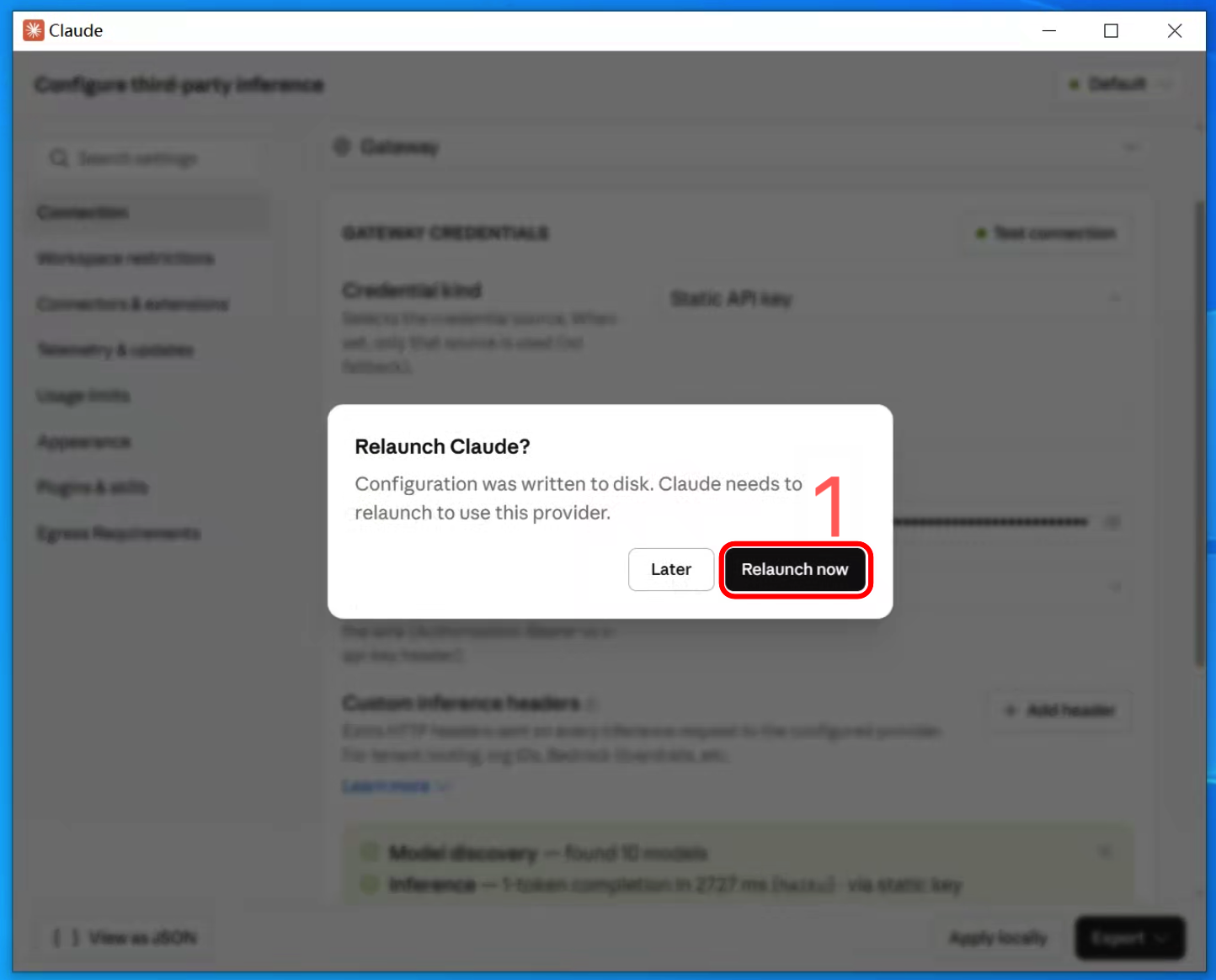
    Apply locally 后重启 Claude

    1. 确认上一步 Test connection 已经成功。
    2. 点击 Apply locally 写入本机配置。
    3. 弹出 Relaunch Claude 后点击 Relaunch now。
    4. 重启完成后,Claude Desktop 会使用这组 Gateway 配置。
    Apply locally 后重启 Claude
    Apply locally 后重启 Claude